
First download the package from website :
wget http://downloads.wicd.net/pkgs/stable/1.6.x/1.6.2/CentOS_5/wicd-1.6.2-2.1.x86_64.rpm
rpm -ivh wicd-1.6.2-2.1.x86_64.rpm
then install the dependencies for this ..
as it require python-urwid ..
assume you have install rpmforge repo.
yum install urwid |
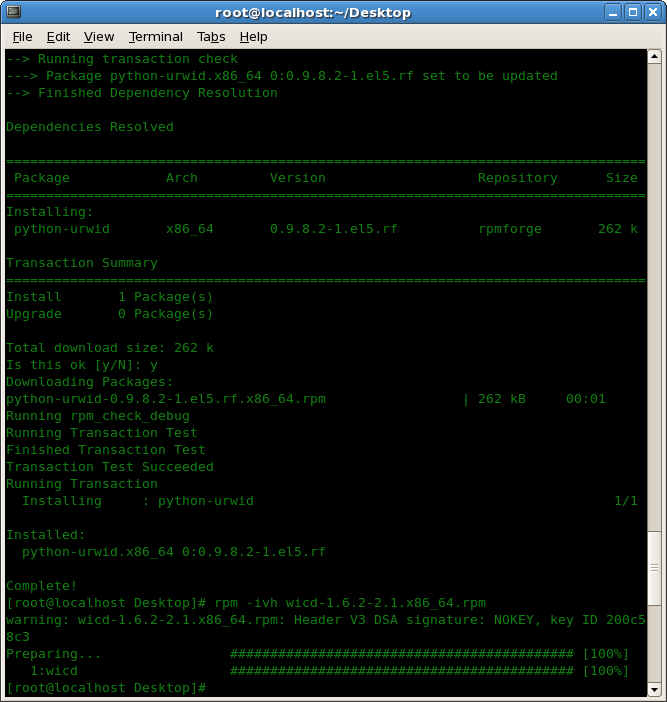
then install the wicd package.
the result :

now can use WPA2 , WPA-TKIP as per click-click too.
this would then make this app as ..
the best yahoo messenger for centos
.. after pidgin.. hehehe 😎
as it had supersede the pidgin capabilities to perform
some additional task which is not available in pidgin..
may be you had been using other messenger..
kindly post your comment in the form below ..
p/s : don’t shoot the messenger..
I did the steps above but got this message while installing:
warning: rpmts_HdrFromFdno: Header V3 DSA signature: NOKEY, key ID 217521f6
GPG key retrieval failed: [Errno 5] OSError: [Errno 2] No such file or directory: ‘/etc/pki/rpm-gpg/RPM-GPG-KEY-EPEL’
I’m using CentOS 5.6