
Well, after installed the KVM on CentOS , you may want to have a bridge networking on some of VMs
that you may have created.
Unfortunately, KVM doesn’t set this up automatically like the vmware who set its own device during vm-config.pl.
Luckily there are a lot of “How To” telling on step to make it happened.
One of the step that I tried is as follows :
1. First , need to install some package from rpmforge repo. (better sort out the yum repository for rpmforge first if you haven’t)
The package is:
yum install tunctl -y yum install bridge-utils -y |
if necessary add the following into the /etc/rc.local
# into /etc/rc.local chown root:kvm /dev/net/tun cmod 0660 /dev/net/tun |
then edit the network-configuration file to reflect the above ..
then amend the network script to something like the following :
/etc/sysconfig/network-scripts/ifcfg-eth0 |
# Broadcom Corporation NetXtreme BCM5755M Gigabit Ethernet PCI Express
DEVICE=eth0
HWADDR=AA:BB:CC:DD:11:21
ONBOOT=yes
BRIDGE=br0
then create the following new network config file into the same folder.
cat /etc/sysconfig/network-scripts/ifcfg-br0 |
Assuming the static IP address previously assigned for this device to work. (eth0)
# Realtek Semiconductor Co., Ltd. RTL-8110SC/8169SC Gigabit Ethernet
DEVICE=br0
TYPE=Bridge
BOOTPROTO=static
BROADCAST=192.168.211.255
#HWADDR=AA:BB:CC:DD:11:21
IPADDR=192.168.211.196
IPV6INIT=yes
IPV6_AUTOCONF=yes
NETMASK=255.255.255.0
NETWORK=192.168.211.0
GATEWAY=192.168.212.1
ONBOOT=yes
DELAY=0
STP=off
Then, to use in KVM. Just edit the hardware-config for the VM.
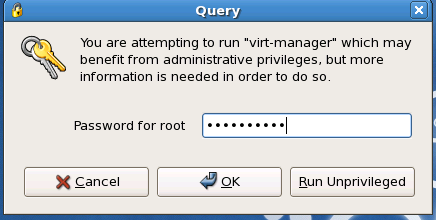
1. Run “virtual-manager.” as the “privileged user ”
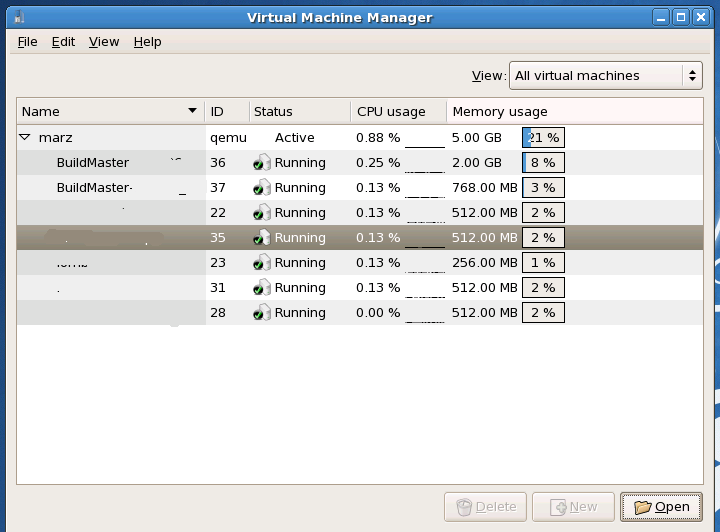
2. select which VM to change. and click “Open”. Probably better to notify user before shutting it down for re-configuration.
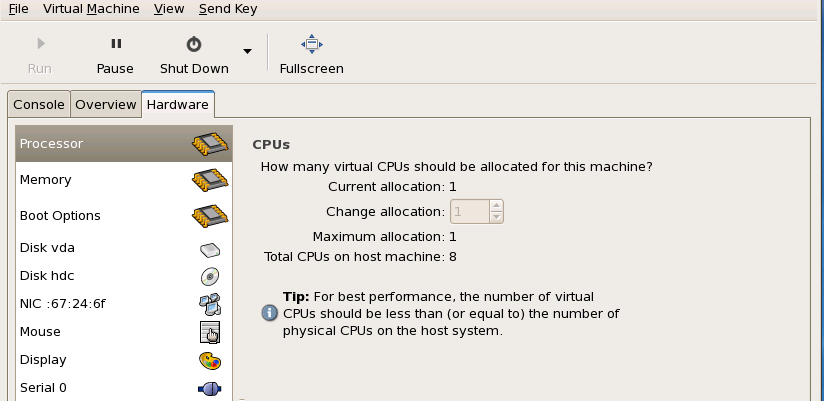
3. Get to the hardware tab.
Remove the old-network device there.
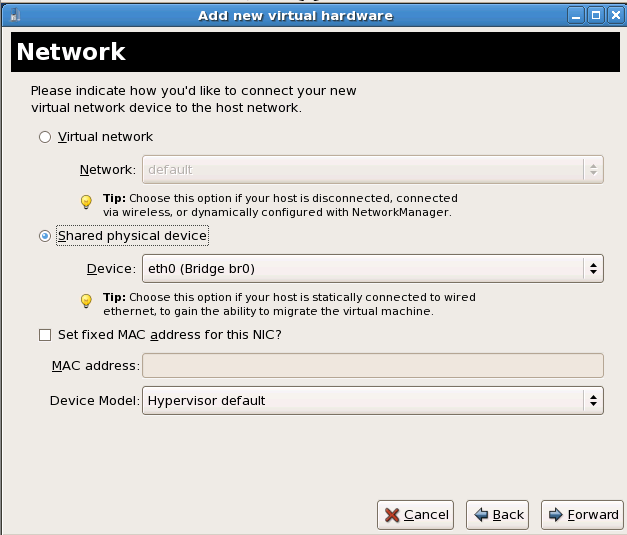
4. Then “Add Hardware”. Choose “Network”.
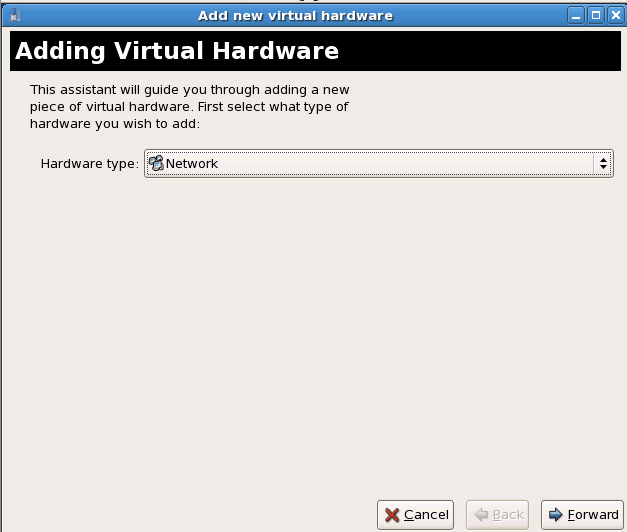
5. then the following will appear.. Choose “Physical network interface”.. eth0(bridge) should appear from the dropdown menu.
6. Done.
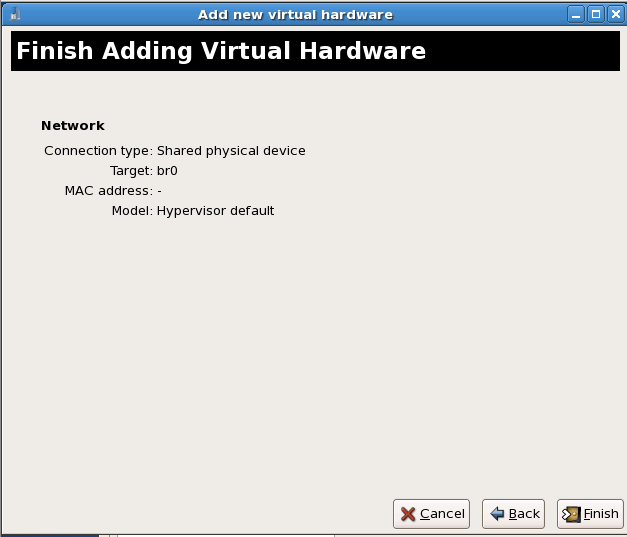
Then , maybe need to reboot the VM to get the new hardware detected.
And reconfigure the VMs network setting to suit your new “bridge” network IP setting.
Reference :
1. CentOS KVM How To
2. VLAN Bridge
..and special thanks to .sha for the head up .
p/s : this will be very useful for setting up something that requiring bridge network instead of NAT.
Like the “ADAM.NET Utility” to send “UDP / MODBUS” read/write command via network…