
Well, i thought there is a mistake such as this one..
cd /
rm -rf *
But the above would left you with nothing to begin with..
Today managed to find another shortest path of it..
by…
1. Download Ubuntu 9.10 iso image from http://www.ubuntu.com/
is not big.. is just 690Mb.
2. Get a blank CD ,and burn that iso into it.
3. Reboot the machine.
while booting up.. hold F12.
[it will prompt for one time boot menu..]
4. Then.. just press next all the way..
at the 3rd step..might need to enter your enter.
press next… next..
5. and it will ask for a reboot.
and remove the CD.
6. that’s it..
the new and shiny Ubuntu 9.10 Karmic Kaola…
the default option for partitioning is :
“Erase all filesystem on hardisk /dev/sda”
is not the
“Use available free/unallocated space”
like the other distros…
all above step can be completed within less that 15minute.
the result :
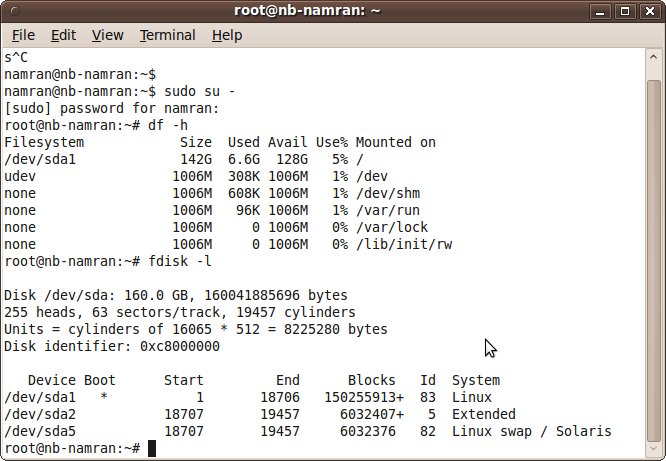
hahahaa..!!
now .. i am going to re-look for my “/home” directory
which is previously mounted at /dev/sda5
while the “/” is at /dev/sda1
.. so if “rm -rf /”
my “/home” would still intact.. if not mounted.
but this Ubuntu so efficient… it wipe all..
p/s : my bad for not lookin at it properly ..
pressing “Next”a bit too fast.. perhaps..
la….la.. la.. what was been missing ah..?
ambo ingat lagi sejaroh muto galoh ni…nok pulok balik ke “tako” nuhh..