
How to add CNAME into BIND using webmin interface

Sometime it is easier to add a CNAME record to our DNS server via some DNS Manage interface.
Instead of keep adding A record for each new server , we just maintain one record with IP while the rest of it
just a list of CNAME record.. if happen to change the IP address. only one record need to be updated
instead of the whole bunch of record.. but it may took longer time to be effective..
which is more or less not so vary using other type of record too.

ok. for the one using webmin to manage DNS record.
there is no “CNAME record manage” per say.. but it had “ALIAS” which did the exactly the same thing..
managing the “CNAME record”..

just the tricky part to add it .
it must be exactly as the following rules :

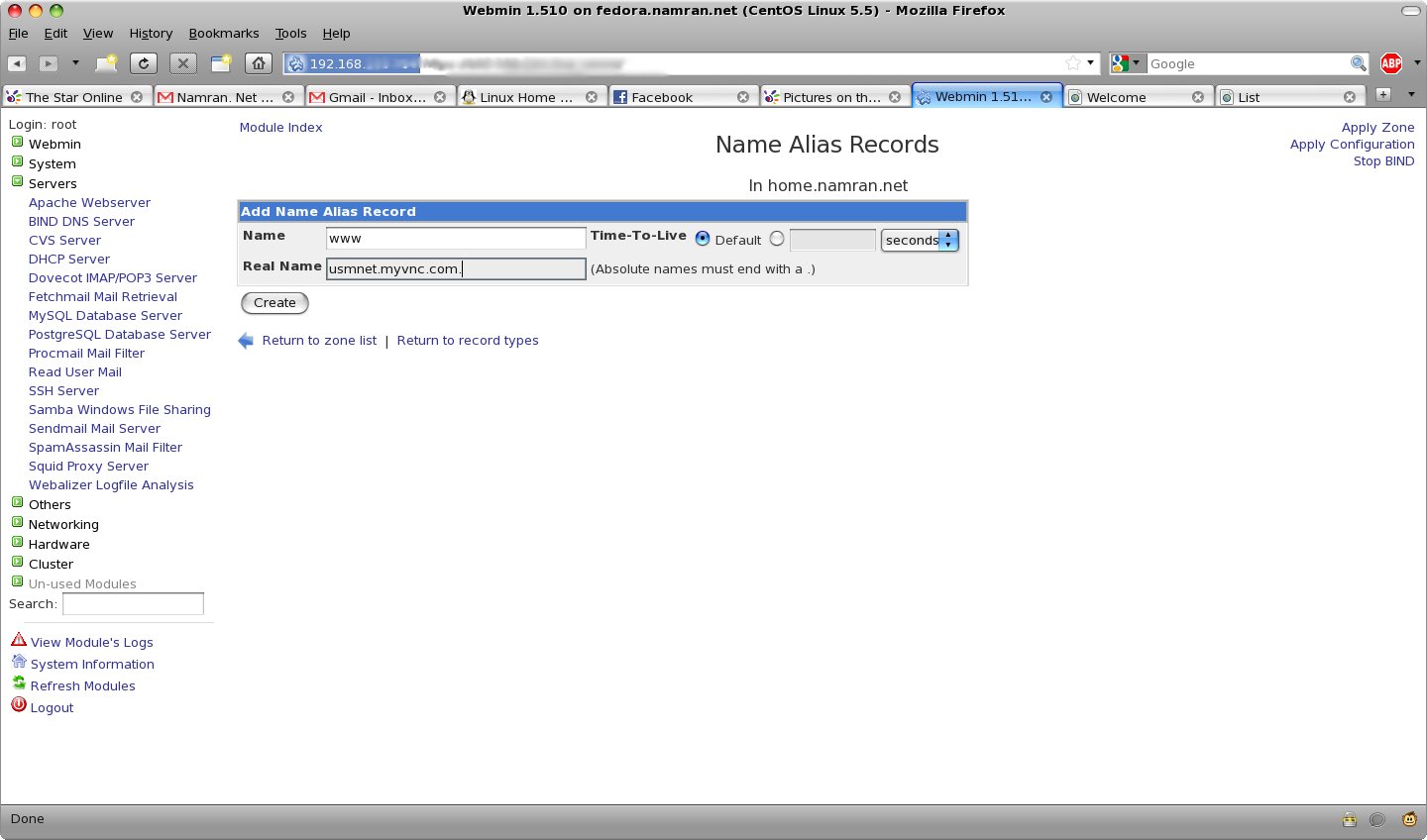
1. only type the subdomain without the FQDN (Fully qualified domain name).
i.e if want to for “www.home.namran.net ” just type “www”

2. the destination MUST end with a dot.
i.e “usmnet.myvnc.com.” NOT the “usmnet.myvnc.com”
as the later will NOT work!

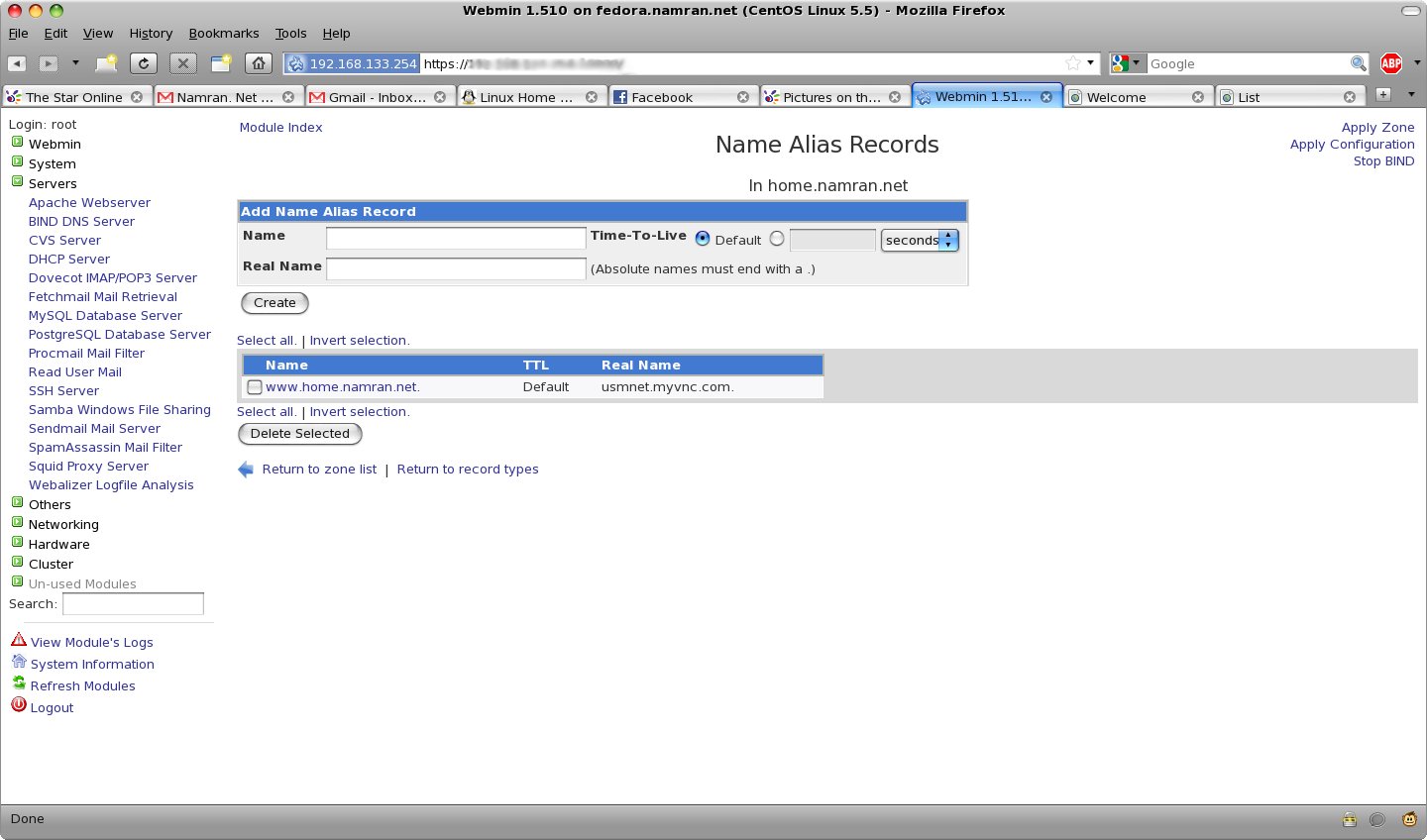
then… verify it is added correctly before applying changes to BIND.

then it shall response to dig request as below :
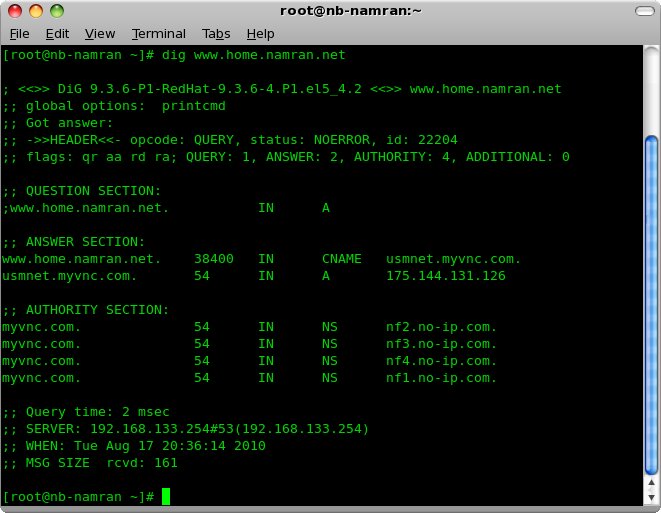
which is almost immediately if querying to that particular DNS server directly..
for querying using other DNS server you might need to wait for it to propagate first.

p/s : .. pretty weird.. isn’t it ?

hopefully can write on setting up DNS server at home .. shortest path .. afterwards.. haha

Related Post

3 Responses

  1. robfish88 says:

    Thank you very much…….

    Reply
  2. robfish88 says:

    Kindly advice, I want to use OpenWRT for my TP-Link router model TL-WR1043ND version 1.10 starting serial number with 12.

    Requested for UNIFI Malaysia 20 MB

    Kindly advice which files I do need to download, highly appropriated in advance .

    Regards

    Robert

    (Shah Alam)

    Reply
  3. robfish88 says:

    Good Morning ,
    I have a TL-WR1043ND router Ver 1.10 and not able to find Hardware version, as what I understood from other posts that this should be then Hardware version 1.
    Have installed OpenWRT in total 3 files :
    German stock firmware (v3.9.17)
    – attitude_adjustment 12.09-rc2 and
    attitude_adjustment 12.09-rc2 and able to able access my router TL-WRT1043ND

    I guess that it is my age (59) but I a losing it on the configuration and explanation, first the first of all on many images that I have seen on the internet in the part Internet -> Swith VLAN witch is starting with PORT 1 -2-3-4-5-CPU however on my installed OpenWRT it starts with PORT 0-1-2-3-4-CPU so I guess something is already wrong on my side, having said this most images are related to HARDWARE VERSION 1.8

    My main goal is to get connect to UNIFI Malaysia (20MB connection) I know that Unifi provides an IPTV package but to honest I don’t need this IPTV connection at all.

    The bottom line, I like get connected to UNIFI with OPENWRT and I am really begging f someone can assist me in to get connect to Unifi. I know it is labor day (May 1) but will be great full if somebody can assist me.

    Reply

Leave a Reply

Your email address will not be published. Required fields are marked *