
For Redhat 5.4 or CentOS 5.4
can just add rpmforge repository ..
then do the following to the monitoring host.
yum install nagios-nrpe nagios-nrpe-plugins -y |
which pretty much covered in previous post regarding nagios installation.
only need to ammend the file at
vi /etc/nagios/objects/commands.cfg |
to add the following..
# 'check_nrpe' command definition
define command{
        command_name check_nrpe
        command_line $USER1$/check_nrpe -H $HOSTADDRESS$ -c $ARG1$
} |
and for each remote server that you want to monitor.
Need to add some package into it.
yum install nagios-nrpe -y |
edit the /etc/nagios/nrpe.cfg
find the line started with allowed_hosts,
append the monitoring server ip accordingly .. so that it can access to the remote host with SSL successfully.
allowed_hosts=192.168.19.31 |
you can also changed the following code
to suit your need.
# The following examples use hardcoded command arguments... command[check_users]=/usr/lib64/nagios/plugins/check_users -w 5 -c 10 command[check_load]=/usr/lib64/nagios/plugins/check_load -w 15,10,5 -c 30,25,20 command[check_hda1]=/usr/lib64/nagios/plugins/check_disk -w 20% -c 10% -p /dev/hda1 command[check_logvol00]=/usr/lib64/nagios/plugins/check_disk -w 20% -c 10% -p /dev/mapper/VolGroup01-LogVol00 command[check_zombie_procs]=/usr/lib64/nagios/plugins/check_procs -w 5 -c 10 -s Z command[check_total_procs]=/usr/lib64/nagios/plugins/check_procs -w 450 -c 500 command[check_swap]=/usr/lib64/nagios/plugins/check_swap -w 20 -c 10 |
then just need to start it.
/etc/init.d/nrpe start chkconfig nrpe on |
then can test.. with something like this
from the monitoring server.
/usr/lib64/check_nrpe -H 192.168.19.203 check_load /usr/lib64/nagios/plugins/check_nrpe -H 192.168.19.216 -c "check_total_procs" |
oh well..
that’s pretty much of it.
then can have something like this at the end..
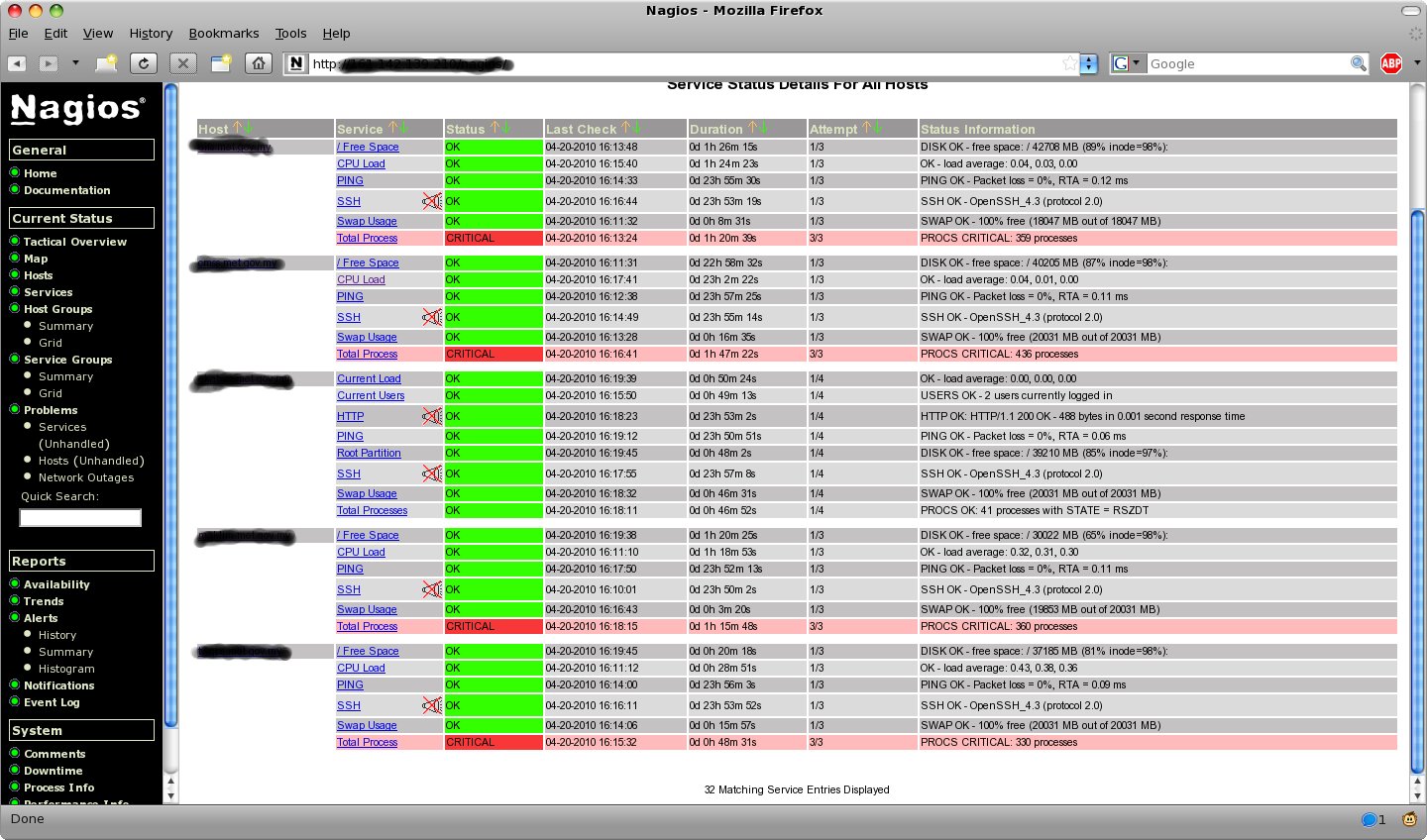
p/s : .. there might more underneath feature that can be added..
let’s see if someone can come up with enough time to play with it.. 😎