
Firstly initiate SSH connection to server.
Enter your hostname , port, user , password and all.
Then go to .. title bar -> right click -> Change Setting..
.. go to Category -> Connection -> SSH -> Tunnels.
Enter source port ..
then the destination .. Ip:port
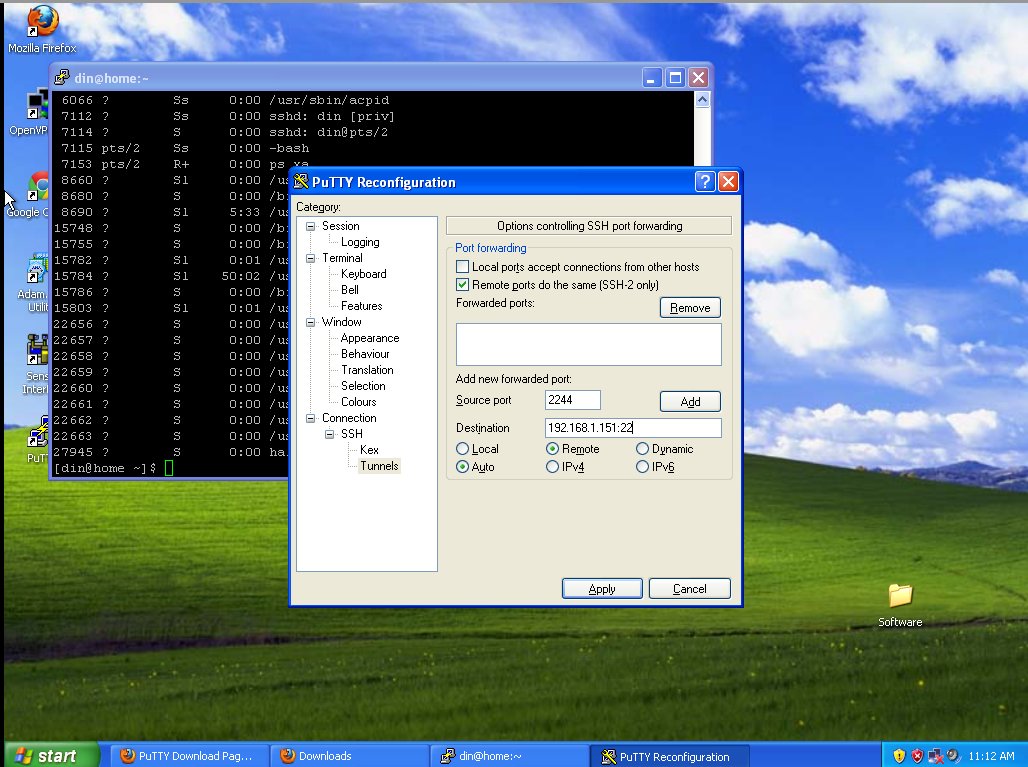
then. click Add.
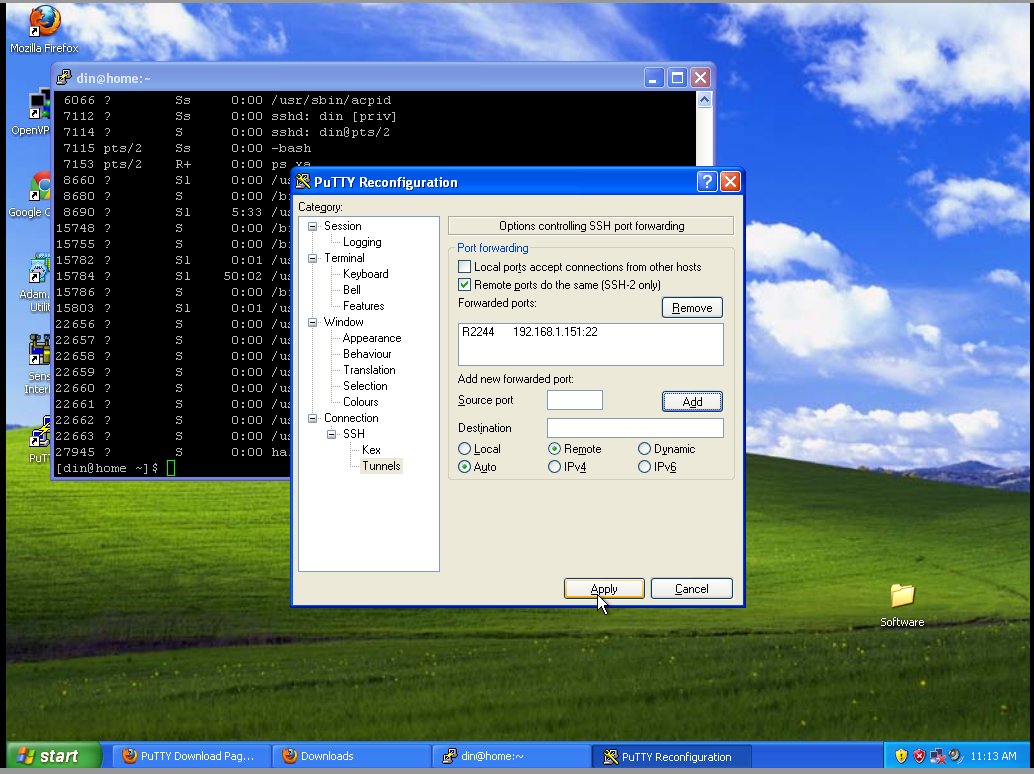
..
then Apply.. done!
here Malaysian mirror: http://mirror.oscc.org.my/
Unfortunately, there is no xubuntu alternate installaton cd..
Yep.. that why resort to foreign link instead.. 😎
anyway , thanks.