
Believe it or not , last week was the most busiest week of wedding.
For me is about 3 (three) coincidence wedding at the same day and time..
- One in terengganu..
- One in Kelantan..
- One in Sabah.. (or is she back to Sabah?)
So, when the friend from Sabah about to show his wedding photos.. she tried to invite for photos sharing
via her yahoo messenger.. and yet I was using pidgin.. so nothing popped up.
Hmm.. was pidgin unable to support such additional feature.. ?
too lazy.. just google for “yahoo messenger with photo sharing in linux”
And bumped into “Gyachi-e” ..
.. few research.. and found out that the RPMized version is available under EPEL repository..
To add into my Centos 5.3 notebook.. I just need to do this..
1. Adding EPEL repo into my repository list .
by copying these content into /etc/yum.repos.d/epel.repo
[epel]
name=Extra Packages for Enterprise Linux 5 - $basearch
baseurl=http://download.fedora.redhat.com/pub/epel/5/$basearch
#mirrorlist=http://mirrors.fedoraproject.org/mirrorlist?repo=epel-5&arch=$basearch
failovermethod=priority
enabled=1
gpgcheck=1
gpgkey=file:///etc/pki/rpm-gpg/RPM-GPG-KEY-EPEL
[epel-debuginfo]
name=Extra Packages for Enterprise Linux 5 - $basearch - Debug
#baseurl=http://download.fedora.redhat.com/pub/epel/5/$basearch/debug
mirrorlist=http://mirrors.fedoraproject.org/mirrorlist?repo=epel-debug-5&arch=$basearch
failovermethod=priority
enabled=0
gpgkey=file:///etc/pki/rpm-gpg/RPM-GPG-KEY-EPEL
gpgcheck=1
[epel-source]
name=Extra Packages for Enterprise Linux 5 - $basearch - Source
#baseurl=http://download.fedora.redhat.com/pub/epel/5/SRPMS
mirrorlist=http://mirrors.fedoraproject.org/mirrorlist?repo=epel-source-5&arch=$basearch
failovermethod=priority
enabled=0
gpgkey=file:///etc/pki/rpm-gpg/RPM-GPG-KEY-EPEL
gpgcheck=1
or just grab it here..
2. run a yum install :
yum -y install gyachi* --enablerepo epel |
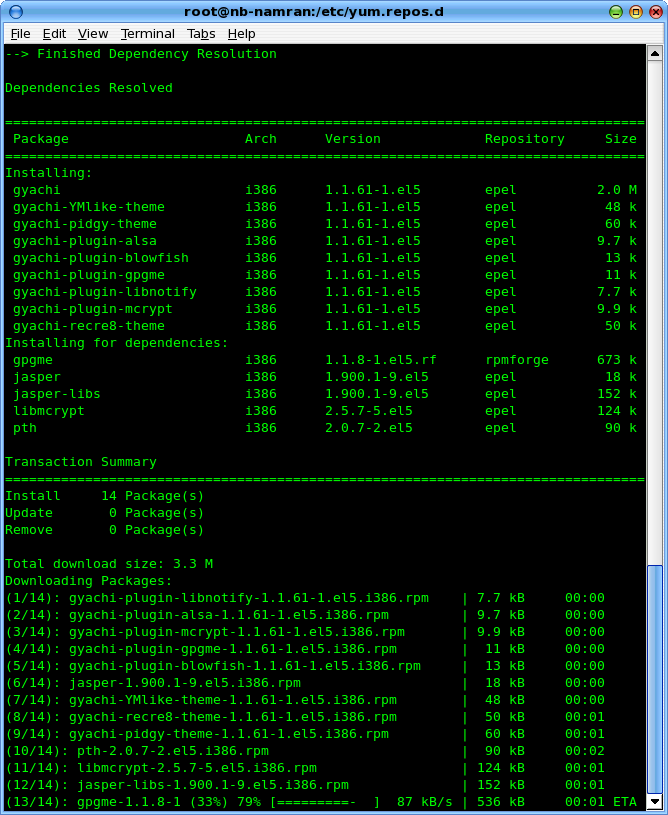
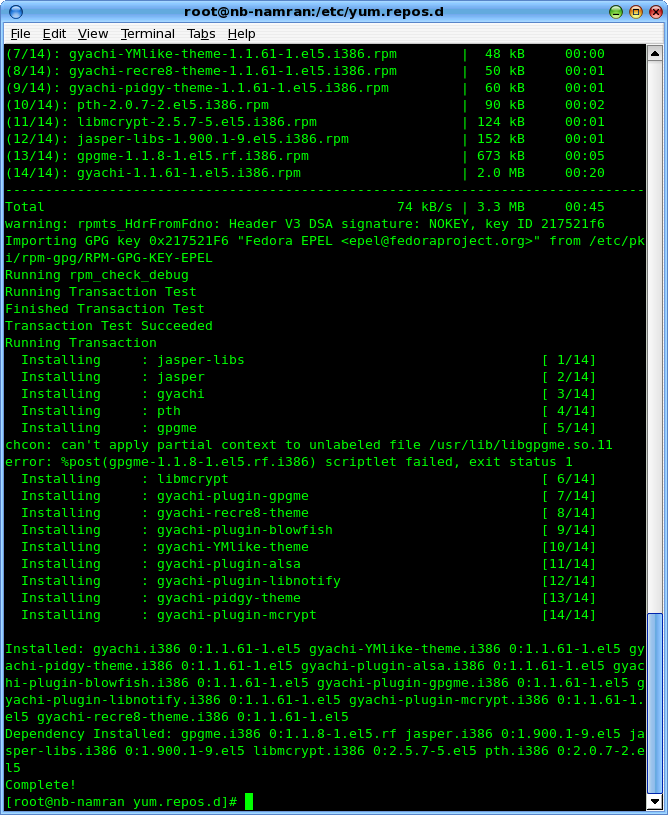
and that’s it.. you’re done.
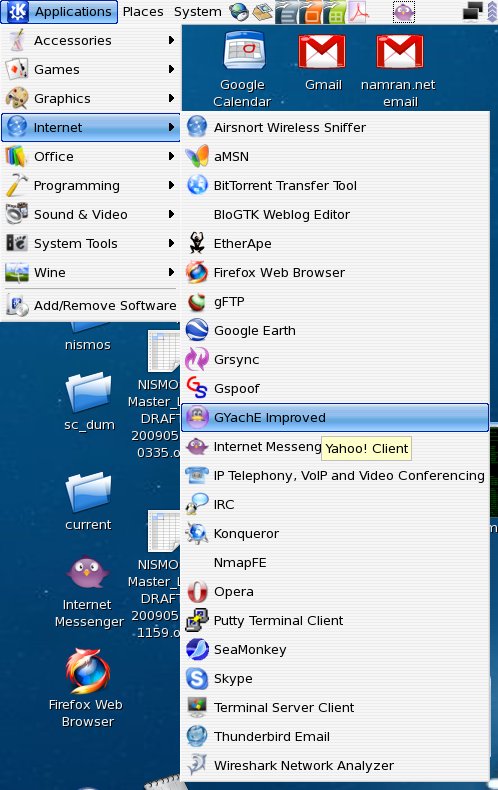
To lauch the program, find the shortcut under “Internet” Section..
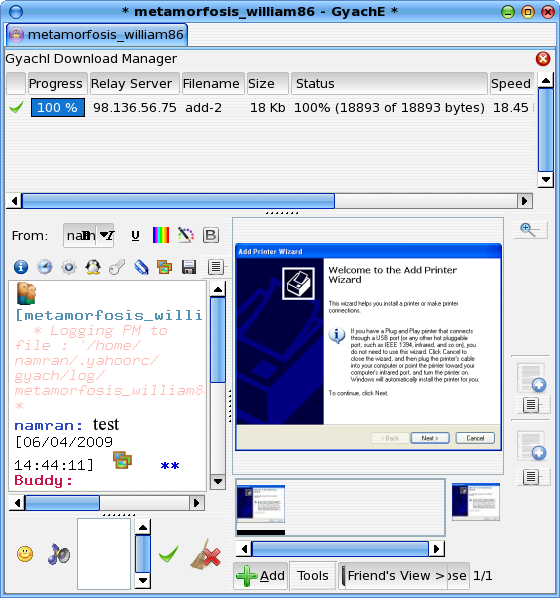
then have to play a bit with the button here and there.. to find the sharing photo button.
When succeeded it will have something like this..
Heck.. I can’t believe it, I was logging into Windows XP over vwmare,
install latest yahoo messenger,
login with other user credential .. just to test and get this feature tested and documented.. 😎
And .. it just worked ~!
and on windowz counter-part will have something like this..

and.. to my surprise.. the Buddy list in Gyachie also shown the logged on but “invisible” user.. .. such as this one:
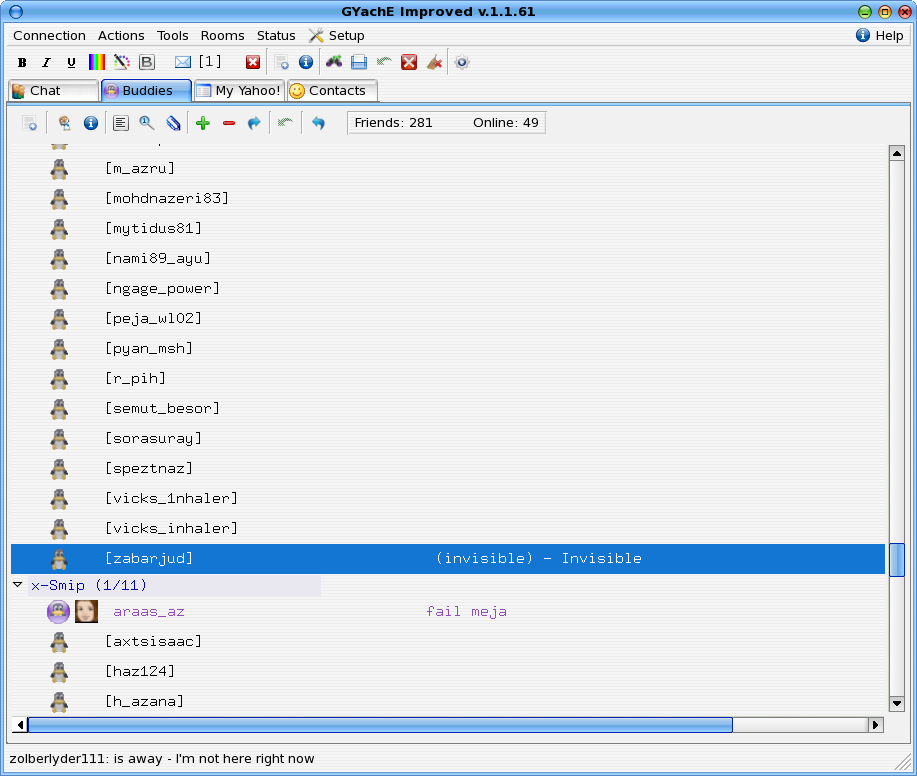
hahaha.. that would made someone feel uneasy .. though.~
and also the smiley list is extended and reflected the full feature of yahoo messenger.. got “bubble bee” appeared with
:bz
and something like this will appear there…

[kml_flashembed fversion=”8.0.0″ movie=”https://www.namran.com/wp-content/uploads/2009/06/135.swf” targetclass=”flashmovie” useexpressinstall=”true” publishmethod=”static” width=”135″ height=”35″]

[/kml_flashembed]
(not supported by pidgin normal smiley set though~)
p/s : this would then break my singular app pidgin for everything . (twitter,facebook,msn,gtalk,irc) .. 😎
bro macam mana nak setting utk ipv4 untuk connect ke unifi.
Hi,
well, I ‘m a newbie to ipv6(and many other things).
I’m a unifi subscriber VIP5.
I’d like to set up a home network comprising a laptop and a pc, to be able to ping each other and outside world using IPv6.
At the first step, I want to be able to ping ipv6.google.com
currenly I’m running ubuntu on my laptop.
I followed your instruction to register with he.net and got the same script. however I don’t know what you mean by copy& pasting it into “your router box”? can you help me? Thanx