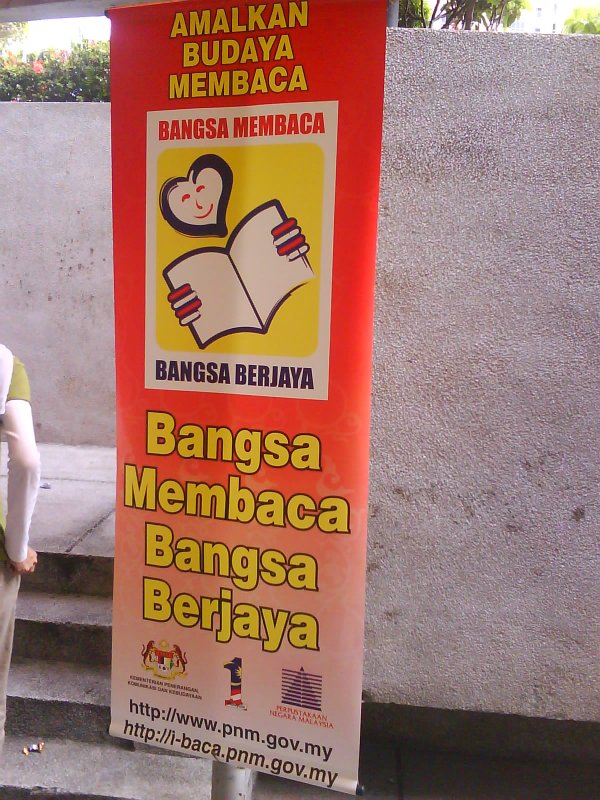
Reading campaign have been launched by National Library of Malaysia.
I can see a lot of banner at the library itself, but hardly seen anywhere else.
May I should put it up at my blog also .. hehe 🙂
the URL given is at here.
( one comment : the website look a bit childish.. hahahaha )
During my patronage at National Library, I can’t help but to notice that :
[ad#postad]
1. Books at the main library hall is sometime quite new and up to date. (+1)
2. While books at the “loan” section located at “Wisma Sejarah” is a bit out-dated (-1).
3. There are a lot fictions book at the “Wisma Sejarah”. Could be useful for those like to read this kind of book.(+1)
4. There are section at the level-3 for “overseas” or “foreign” news paper and magazine. At which I can find
“Herald Biz review” and also “New York Times”.. (of course got few day lag/delay lah..) (+1)
5. At the ground floor there are PCs i think.. but without chair.. so
only got kid playing game. hardly any adult nearby.. 🙂 ( no comment )
6. the power adapter for laptop is charged at RM8. per socket ?? ( yet no wifi.. *sigh*)
7. the canteen in front of “kids library” is kinda nice.. but a bit crowded during lunch time..
8. parking lot is almost full most of the time due to construction..
and got banner saying/suggesting us to “take public transport BUS rapid KL NO : B114. or taxi”..
this part can’t help but to notice that rapid KL had restructured their ‘fare plan’…
[ad#postad]
now need to pay “RM 1.90” per “one-way-route”.. no return trip.. no 2nd,3rd.. unlimited trip like before .. *sigh*
and this “RM 1.90” is varied depend on which zone to take.. A,B,C,D…
Hmm.. that’s kinda a long list already lah…. !!
let’s get to MPH/Kinokuniya or just read “Google reader” instead..
p/s : reading is learning from someone else experience……


the step to remove old plesk before can start install a new
but it is preferable to have a complete system restore..
*** somehow . to wait for sys-admin to do thing to you.. ah.. a lil’ bit fu*ked thing.. why not ***..
as root..
1. yum remove psa-*
2. yum remove httpd
3. rm -rf /var/httpd -R
4. rm -rf /usr/local/psa -R
5. rm -rf /var/www/vhosts -R
6. service mysqld stop
7. If don’t know the root pass for myql .try this as root :
mysqld_safe –skip-grant-table
6. mysql -uroot
i. drop database psa
ii. drop database phpmyadmin_14813SHFF <-- some serial here can see using show databases; iii. drop database horde; iv. drop database sitebuilder; v. and any other thing .. except test and mysql; vi. may have to reset pass for root to blank ... if u want to delete other user than root in mysql use mysql; delete * from user where User!='root'; update user set Password=PASSWORD('') where User='root'; may be need to add the admin user with pass setup. and with all priv here. insert into user (Host,User,Password) values ('localhost',admin,PASSWORD('something-default-here')); then have to grant.. all the privilege. to the admin then remove mysqld. yum remove mysql. ***.. after that may proceed with re-installation process. note i did'nt remove any other user created before.. such as qmail.. bla..bla.. because we are going to re-install .. then.. ./psa_installer_v3.1.2_build070321.17_os_CentOS_4_i386 answer all question.. wait.. till finished.. hopefully no problem.. may be need to flush the firewall services iptables restart.. then can access to https://server.name.com:8443/
you should see the login screen..
wahaha..
the step to remove old plesk before can start install a new
but it is preferable to have a complete system restore..
*** somehow . to wait for sys-admin to do thing to you.. ah.. a lil’ bit fu*ked thing.. why not ***..
as root..
1. yum remove psa-*
2. yum remove httpd
3. rm -rf /var/httpd -R
4. rm -rf /usr/local/psa -R
5. rm -rf /var/www/vhosts -R
6. service mysqld stop
7. If don’t know the root pass for myql .try this as root :
mysqld_safe –skip-grant-table
6. mysql -uroot
i. drop database psa
ii. drop database phpmyadmin_14813SHFF <-- some serial here can see using show databases; iii. drop database horde; iv. drop database sitebuilder; v. and any other thing .. except test and mysql; vi. may have to reset pass for root to blank ... if u want to delete other user than root in mysql use mysql; delete * from user where User!='root'; update user set Password=PASSWORD('') where User='root'; may be need to add the admin user with pass setup. and with all priv here. insert into user (Host,User,Password) values ('localhost',admin,PASSWORD('something-default-here')); then have to grant.. all the privilege. to the admin then remove mysqld. yum remove mysql. ***.. after that may proceed with re-installation process. note i did'nt remove any other user created before.. such as qmail.. bla..bla.. because we are going to re-install .. then.. ./psa_installer_v3.1.2_build070321.17_os_CentOS_4_i386 answer all question.. wait.. till finished.. hopefully no problem.. may be need to flush the firewall services iptables restart.. then can access to https://server.name.com:8443/
you should see the login screen..
wahaha..